Help

Switching from another system
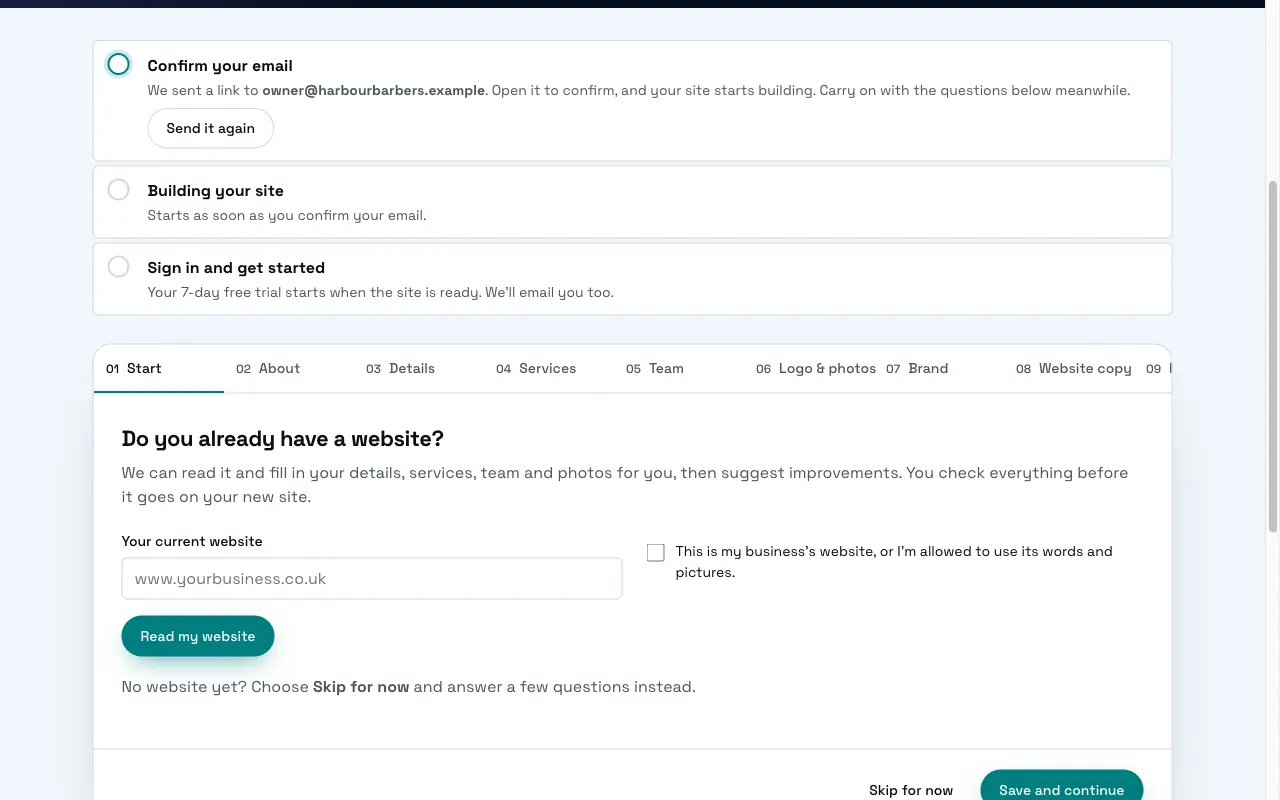
The guided set-up
The guided set-up, a made-up business set up on Myobos.

Moving from another website or booking system? Most of it comes across in the guided set-up.

Comes across on its own: your website's wording, services, contact details and photos. We read your home page and main pages, and you check everything before it goes live.

Bring with you: your customer list (see Importing customers), your team and their hours, and your prices if your old site doesn't show them.

Keep your domain: point it at Myobos, or move your name servers to us (see Adding your own domain). Your old site stays up until you switch.

The full guide is on the Switching page.

Most of the work is checking, not typing: the guided set-up does the copying.

Next: Cancelling →

More guides

Start free. No card.

7 days on your free address to build and check everything behind a holding page. Nothing goes public until you press Go live.

What kind of business is it?

Your starting services and pages are set up to match. You can change them later.

Choose your web address

Every site gets a free address. You can add your own domain too.

About you

You’ll be the owner. This email is how you sign in.

Check and confirm

Nothing is charged for the trial. You can cancel any time before you go live.

Check your email

We’ve sent you a link to confirm your email and continue setting up.

Not there? Check your junk folder, or .

Sign in

You sign in on your own site. Enter its address and we’ll take you to its admin.