Help

Client forms and notes
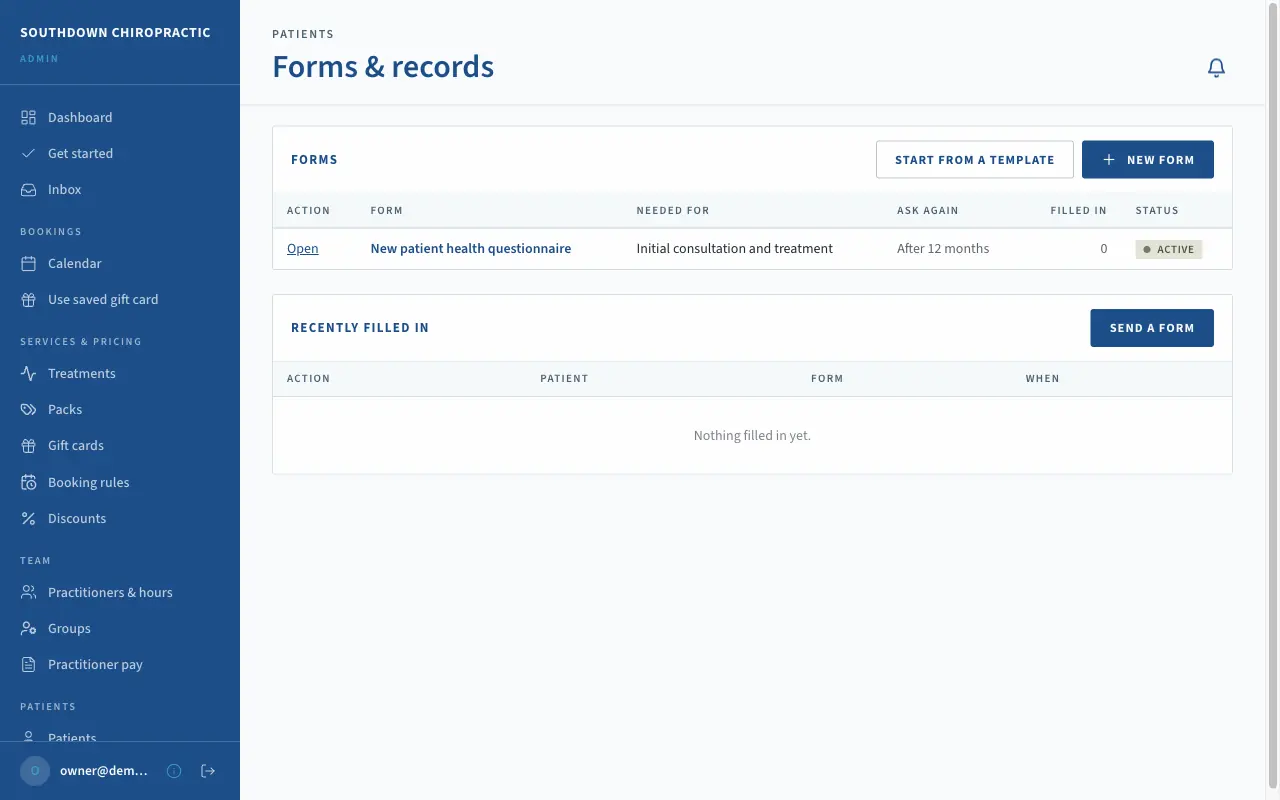
Forms & records at Southdown Chiropractic
Forms & records at Southdown Chiropractic, a made-up business set up on Myobos.

Switch on forms under Business type & wording → Features if your trade doesn't have them on already. Then:

  1. Open Forms & records.
  2. Start from a template.
  3. Check it against your professional body's guidance.
  4. Link it to the services that need it.

The form goes out with the booking confirmation, so the answers are in before the client arrives.

Treatment notes are encrypted, and readable only by people you allow. Every view is logged, so you can see who opened what and when.

Clinics and beauty salons start with forms switched on, and personal trainers start with client forms and notes. If a client asks who has seen their records, the access log gives you the answer.

Next: Your privacy policy and terms →

More guides

Start free. No card.

7 days on your free address to build and check everything behind a holding page. Nothing goes public until you press Go live.

What kind of business is it?

Your starting services and pages are set up to match. You can change them later.

Choose your web address

Every site gets a free address. You can add your own domain too.

About you

You’ll be the owner. This email is how you sign in.

Check and confirm

Nothing is charged for the trial. You can cancel any time before you go live.

Check your email

We’ve sent you a link to confirm your email and continue setting up.

Not there? Check your junk folder, or .

Sign in

You sign in on your own site. Enter its address and we’ll take you to its admin.